Assured Replication: A New Feature of OpenDS 2.0

OpenDS 2.0 has just been released and there are several new and exciting features in it.

To me, the biggest innovation in this release is "Assured Replication", an extension to the loose consistency multi-master replication feature that brings tighter consistency of data between replica. "Assured Replication" is not to be taken for a full synchronous and transactional replication mechanism. A change is not transactionally applied to a set of or all replicas of a topology. With "Assured Replication", the response to an LDAP modification is delayed until the change has been received or applied by other servers, in a best effort mode. It provides a greater assurance that a change is not lost even if the server receiving it crashes.

Opends Assured Replication with Safe Data level 2

Assured Replication can function in 2 modes :

  • Safe Data Mode: an update must be propagated to a defined number of Replication Servers before returning a response to the client. So if the server or the replication server is stopped, the data is still available to all other replicas.
  • Safe Read Mode: an update must be propagated to all directory servers in the domain before the client is returned a response for the update.

Of course, for both modes, it’s possible to configure a timeout interval to prevent LDAP clients to be waiting indefinitely if some servers are not available.

Configuring Assured Replication is pretty straightforward but cannot be done when setting up replication itself. So the first step is to configure Multi-Master Replication for a domain with dsreplication.

$ bin/dsreplication enable –host1 localhost –port1 5444 –bindDN1 ‘cn=directory manager’ –bindPassword1 secret12 –replicationPort1 8989 –host2 localhost –port2 6444 –bindDN2 ‘cn=directory manager’ –bindPassword2 secret12 –replicationPort2 8990 –adminUID admin –adminPassword secret12 –baseDN "dc=example,dc=com" -X -n

Establishing connections ….. Done.

Checking Registration information ….. Done.

Configuring Replication port on server localhost:5444 ….. Done.

Configuring Replication port on server localhost:6444 ….. Done.

Updating replication configuration for baseDN dc=example,dc=com on server localhost:5444 ….. Done.

Updating replication configuration for baseDN dc=example,dc=com on server localhost:6444 ….. Done.

Updating Registration configuration on server localhost:5444 ….. Done.

Updating Registration configuration on server localhost:6444 ….. Done.

Updating replication configuration for baseDN cn=schema on server localhost:5444 ….. Done.

Updating replication configuration for baseDN cn=schema on server localhost:6444 ….. Done.

Initializing Registration information on server localhost:6444 with the contents of server localhost:5444 ….. Done.

Initializing schema on server localhost:6444 with the contents of server localhost:5444 ….. Done.

Replication has been successfully enabled. Note that for replication to work you must initialize the contents of the base DN’s that are being replicated (use dsreplication initialize to do so).

$ bin/dsreplication initialize –baseDN "dc=example,dc=com" –adminUID admin –adminPassword secret12 –hostSource localhost –portSource 5444 –hostDestination localhost –portDestination 6444 -X -n

Initializing base DN dc=example,dc=com with the contents from localhost:5444:

23 entries processed (100 % complete).

Base DN initialized successfully.

See

/var/folders/SH/SHFsRjymHtqiZ4GxPNZERU++Fwk/-Tmp-/opends-replication-737929812662715818.log

for a detailed log of this operation.

$ bin/dsreplication status -h localhost -p 5444 –adminUID admin –adminPassword secret12 -X

dc=example,dc=com – Replication Enabled

=======================================

Server : Entries : M.C. (1) : A.O.M.C. (2) : Port (3) : Security (4)

—————:———:———-:————–:———-:————-

localhost:5444 : 23 : 0 : N/A : 8989 : Disabled

localhost:6444 : 23 : 0 : N/A : 8990 : Disabled

Now that replication is setup, we can enable the Assured Replication mode, using the dsconfig utility. For this, on each of the OpenDS direcotry servers, we first need to retrieve the full name of the replication domain.

$ bin/dsconfig -D cn=directory\ manager -w secret12 -n -s list-replication-domains –provider-name "Multimaster Synchronization"

cn=admin data (domain 29167)
cn=schema (domain 9674)
dc=example,dc=com (domain 14741)

$ bin/dsconfig -D cn=directory\ manager -w secret12 -n set-replication-domain-prop –provider-name "Multimaster Synchronization" –domain-name "dc=example,dc=com (domain 14741)" –advanced –set assured-type:safe-data –set assured-sd-level:2

Note that the Replication Domain has a different value on each server, so you have to repeat these 2 commands on each instance.

Setting the assured level for Safe Data to 2 means that the server will make sure the data has been received by at least 2 replication services before returning to the LDAP client the response to the update request.

From a client point of view, there should be no difference, except that the server might take a little longer to return the response to an update request. In our measures, we found that the response time increased by 25% for Safe Data Level 2, which seems a lot, but honestly, when the response time is in the order of 2ms, it’s hard to notice !

You can find more information about Assured Replication on OpenDS 2.0 documentation wiki, both in the overview of OpenDS Replication Architecture and the Replication Administration Guide, and more specifically Assured Replication Administration Guide

Technorati Tags: , , , , ,

New in OpenDS 2.0: I18N Collation Matching Rules

Opends2 PictoOpenDS 2.0 has just been released and there are several new and exciting features in it.

Today we will be taking a closer look at the I18N Collation Matching Rules.

In LDAP, most of the data is made of DirectoryStrings which are UTF-8 encoded strings. LDAPv3 specifications and more precisely RFC 4518, defines the way to prepare UTF-8 strings to be compared in LDAP and OpenDS being fully compliant with LDAPv3 implements this RFC.

This means that the server will properly case-fold non-ascii characters and be able to compare properly and in a case insensitive way, none ascii characters like the French é or Japanese characters.

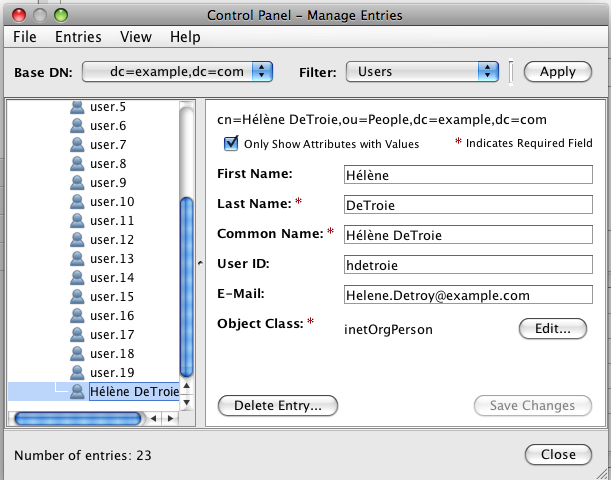
OpenDS Entry Editor Panel

Let’s work with an example, an entry with the givenName “Hélène” illustrated on the right (click on the image for a larger view).

If I search the directory for that givenname, I can retrieve the entry:

$ bin/ldapsearch -p 2389 -b “dc=example,dc=com” ‘(givenname=hélène)’
dn:: Y249SMOpbMOobmUgRGVUcm9pZSxvdT1QZW9wbGUsZGM9ZXhhbXBsZSxkYz1jb20=
mail: Helene.Detroy@example.com
givenName:: SMOpbMOobmU=
objectClass: person
objectClass: inetOrgPerson
objectClass: organizationalPerson
objectClass: top
uid: hdetroie
cn:: SMOpbMOobmUgRGVUcm9pZQ==
sn: DeTroie

$ bin/ldapsearch -p 2389 -b “dc=example,dc=com” ‘(givenname=HÉLNE)’ givenName
dn:: Y249SMOpbMOobmUgRGVUcm9pZSxvdT1QZW9wbGUsZGM9ZXhhbXBsZSxkYz1jb20=
givenName:: SMOpbMOobmU=

Note : DN, CN and GivenName are base64 encoded in the result as expected per LDIF Specifications.

Note : To be able to type in correctly the string “hélène” in a terminal (like to the filters above), make sure the LANG is set to use UTF-8 encoded characters (LANG=en_US.UTF-8).
Let’s see what happens if I’m searching for the same user without the accentuated letters.

$ bin/ldapsearch -p 2389 -b “dc=example,dc=com” ‘(givenname=helene)’

$


Nothing returned. This is because in Unicode the letter e and é do not normalize the same. Now this is a big problem, especially in Europe because we do not like when our name is not written how it should be and also because the person that searches may not remember exactly how to spell the name or may not know how to type the composed character on his machine. Also in French (but with other locales as well), the letters e and é and É are considered comparing equal.

That’s where the I18N Collation Matching Rules come to the rescue.

OpenDS 2.0, like his far ancestor Sun Directory Server, supports by default a set of extensible matching rules that are locale specific.

This means I can now search for the GivenName according to the Collation Rules associated with French or German or Norvegian or Japanese.

Each locale has been assigned an OID and then there are 6 different matching rules per locale : LowerOrEqual, LowerThan, Equality,GreaterOrEqual, GreaterThan , Substring.

So if one would like to match givenname for equality according to the French collation rules, the filter would be the following: (givenname:1.3.6.1.4.1.42.2.27.9.4.76.1.3:=Helene)

$ bin/ldapsearch -p 2389 -b “dc=example,dc=com” ‘(givenname:1.3.6.1.4.1.42.2.27.9.4.76.1.3:=helene)’ givenName
dn:: Y249SMOpbMOobmUgRGVUcm9pZSxvdT1QZW9wbGUsZGM9ZXhhbXBsZSxkYz1jb20=
givenName:: SMOpbMOobmU=

Or for a substring match, still according to the French collation rules:

$ bin/ldapsearch -p 2389 -b “dc=example,dc=com” ‘(givenname:1.3.6.1.4.1.42.2.27.9.4.76.1.6:=hel*)’ givenName
dn:: Y249SMOpbMOobmUgRGVUcm9pZSxvdT1QZW9wbGUsZGM9ZXhhbXBsZSxkYz1jb20=
givenName:: SMOpbMOobmU=


But remembering OID for each locale and type of matching is not easy. So we’ve also provided some shortcuts in the form of the locale name and a short string representing the different matching; lte, lt, eq, gte, gt, sub

Examples:

$ bin/ldapsearch -p 2389 -b “dc=example,dc=com” ‘(givenname:fr.eq:=helene)’ givenName
dn:: Y249SMOpbMOobmUgRGVUcm9pZSxvdT1QZW9wbGUsZGM9ZXhhbXBsZSxkYz1jb20=
givenName:: SMOpbMOobmU=

$ bin/ldapsearch -p 2389 -b “dc=example,dc=com” ‘(givenname:fr.sub:=hel*)’ givenName
dn:: Y249SMOpbMOobmUgRGVUcm9pZSxvdT1QZW9wbGUsZGM9ZXhhbXBsZSxkYz1jb20=
givenName:: SMOpbMOobmU=

$ bin/ldapsearch -p 2389 -b “dc=example,dc=com” ‘(givenname:de.eq:=helene)’ givenName
dn:: Y249SMOpbMOobmUgRGVUcm9pZSxvdT1QZW9wbGUsZGM9ZXhhbXBsZSxkYz1jb20=
givenName:: SMOpbMOobmU=

So not only those I18N Collation Matching Rules can be used in Search filters to search, but they can be used for indexing as well, and also for server side sorting.

Unfortunately, setting extensible matching rules for indexes is not possible from the ControlPanel. So it has to be done with dsconfig.

$ dsconfig set-local-db-index-prop \
–backend-name userRoot \
–index-name givenName \
–add index-extensible-matching-rule:fr.eq \
–hostname ludovic-poitous-computer-2.local \
–port 5444 \
–trustStorePath /Users/ludo/dev/Tests/OpenDS2rc4/config/admin-truststore \
–bindDN cn=Directory\ Manager \
–bindPassword ****** \
–no-prompt


Don’t forget to rebuild the index for the givenName attribute (bin/rebuild-index -b dc=example,dc=com -i givenname).

You can find more information about the I18N Collation Matching Rules on the OpenDS 2.0 Documentation Wiki.

Technorati Tags: , , , , ,

New in OpenDS 2.0: Monitoring in the Control Panel

Opends2 PictoOpenDS 2.0 has just been released and there are several new and exciting features in it.

Today we will look at the new feature in the Control Panel: the monitoring aspect.

At first look when we compare the Control Panel for OpenDS 1.2 (on the left below) and the one for OpenDS 2.0 (on the right below), not much has changed. Except for the left bar menu that contains a new section: Monitoring and a status bar at the bottom of the panel.

OpenDS 1.2 Control PanelOpenDS 2.0 Control Panel

Let’s look a little more in details what kind of monitoring information for the OpenDS server is now available:

General Information.

OpenDS 2.0 General Monitoring PanelIn the General Information Panel, you will find overall statistics such Connections, Up Time, but also information related to the system like the name, OS, number of CPUs, available memory in the JVM. You will also have a screen dedicated to the Java VM specific information (see below) such as the version, the vendor, the running arguments, a lot of details about the various segments of memory of the VM. A third screen highlights the work load. The fourth one gives details about the entry cache and the fifth one gives details about the local backend database environment, i.e. low level statistics on memory, transactions, locks in the database. There are more than 50 parameters from the database that you can retrieve and look at with the “Show Operations…” button.

OpenDS 2.0 Monitoring Java VM

The Connection Handler.

The Monitoring Panel for the Connection Handler gives greater details about the LDAP operations that are processed by the server, sorted by kind of Connection: what goes on the LDAP port, what happens on the LDAPS port and the Administrative operations.

OpenDS Connection Monitoring

There are many more statistics information available from the OpenDS server, either through LDAP, JMX or SNMP if you have enabled the later two. Not everything can be displayed in the GUI, and in future version we will provide external tools or widget to graph some of the monitoring information. Meanwhile, play with the Monitoring screens of the OpenDS 2.0 Control Panel, and let us know what you think, what you like, what you feel is missing.

And for a supported version of OpenDS, please check Sun OpenDS Standard Edition 2.0

Technorati Tags: , , , ,

OpenDS makes Java.net Headlines

Yes, the release of OpenDS 2.0 was a big news for all of us in the development team. But we’re really happy that the news is also big on Java.net.

Many thanks to the editors, and particularly to Marina Sum who keeps posting about the OpenDS to her blog, by passion and kindness.

Javanet20090720

Technorati Tags: , , , , ,

LDAP Tip : Counting the number of entries in a branch…

This is a general LDAP tip and it applies to OpenDS the open source LDAP directory service in Java, as well as Sun Directory Server (all versions) and other LDAP servers:

How can I know the number of entries under a specific node of the Directory Information Tree ?
Well it’s simple. Every entry contains an operational attribute that specify the number of immediate subordinates entry : numSubordinates.

So to retrieve the number of entries under a specific node of the DIT, for example in the ou=people,dc=example,dc=com, a simple read is required.

$ bin/ldapsearch -p 3389 -D "cn=directory manager" -w – -b "ou=people,dc=example,dc=com" -s base ‘(objectclass=*)’ numsubordinates

Password for user ‘cn=directory manager’:

dn: ou=People,dc=example,dc=com

numsubordinates: 21

This attribute is defined in an expired Internet-Draft but has been well implemented in many servers. There are often some limitations, like the value only counts entries on the same server, but overall it’s a very useful attribute especially when browsing through the DIT.

OpenDS and Sun Directory Server also implements another attribute : hasSubordinates, defined in X.501. hasSubordinates is a boolean and returns "true" or "false" depending on whether the entry is a branch or a leaf in the Directory Information Tree.

Technorati Tags: , , , ,

New in OpenDS 2.0: Recurrent and Scheduled Tasks

Opends2 PictoOpenDS 2.0 has just been released and there are several new and exciting features on it.

Today we will focus on one simple feature that greatly reduce cost of administration: scheduled tasks.

Being a Directory Server administrator often implies that you have to perform some administrative tasks on a regular basis. One of those tasks for example that an administrator has to do is a backup of the database. With most Directory Servers, the administrator would write a script to be run on a specific time of the day (or rather the night) that would proceed with the backup.

With OpenDS and the Recurrent Tasks, we’ve simplified this to the extreme: Just instruct OpenDS to do a backup on a weekly or daily basis, and as long as the server is running, it will execute the backup procedure at the desired time.

Here’s how to schedule an hourly, compressed backup for the main back-end :

$ bin/backup -p 5444 -D cn=directory\ manager -w secret12 -n userRoot \
-d ./backups -c –recurringTask ‘0 * * * *’

Recurring Backup task BackupTask-dc89d98e-4ade-410e-ad19-325279af8f67

scheduled successfully

Now, just wait for the hour to pass, and check if the backup has been taken 😉

The string passed as a parameter following the –recurringTask option has the same format as for the crontab(5) time/date: a 5 integer pattern field, separated by blank spaces: Minute (0-59), Hour (0-23), Day Of Month (1-31) Month Of Year (1-12) Day Of The Week (0-6 with 0 being Sunday).

The recurrent tasks are not limited to backups. They can be applied to all tasks, although some may not be that useful to everyone. Although I do see some use of a daily import of an LDIF file from a well know location, as a way to synchronize with external sources.

And of course, you can list the scheduled and recurrent tasks with dsconfig and cancel them if needed.

In the next release of OpenDS, you will be able to configure the recurrent tasks with the Control Panel. If you can’t wait, you can try with the latest daily build.

You can find more information on recurrent tasks on the OpenDS Documentation Wiki.

Technorati Tags: , , , , ,

OpenDS 2.0 is here !

The OpenDS development team is very please to announce the availability of OpenDS 2.0.0 and it’s supported companion Sun OpenDS Standard Edition 2.0.

OpenDS is an LDAPv3 compliant Directory Service written entirely in Java. The 2.0 release has many new features since OpenDS 1.0 that was released a year ago:

• A graphical control panel that enables basic server and data administration is available and replaces the OpenDS 1.0 status-panel

• An administration connector manages all administration related traffic to the server. By separating user operations and administration operations, the administration connector ensure a better quality of service and simplify logging and monitotring

• Connections can be secured and encrypted with SASL mechanisms

• Access Control mechanism has been enhanced to control access based on the level of security of the connection

• The ;binary transfert option is now supported

• Standard schema files related to Solaris and OpenSolaris LDAP naming services are provided by default

• Setup and tools provide an enhanced support for the JCEKS keystore and alternate security providers

• A new mode for Multi-Master Replication providing greater consistency and availability of data: Assured Replication

• Recurring tasks allow an administrator to schedule repeated tasks such as backups

• New extensible matching rules and indexing allowing comparing, ordering of data according to specific locales and languages

• Better monitoring information for the server and for Replication

• Full compliance with RFC 4518 and matching of UTF-8 in attributes with a DirectoryString syntax

• VLV indexes are now built during the Import

• Works with IBM JVM (Java 6 SR4 required)

• Works by default with JConsole and VisualVM when JMX Connection Handler is enabled

• Default settings and ergonomics have been improved reducing the need for tuning parts of the server

• Greatly improved performances and stability over time of those performances

• Resolved a possible security issue when Pre-ReadEntry, Post-ReadEntry and Assertion Controls were enabled

OpenDS 2.0.0 is a promotion of OpenDS 2.0.0 Release Candidate 4, built with revision 5492, to the stable and finalized version.

It can be installed with the Java WebStart QuickSetup or downloaded as a Zip file.

A DSML-to-LDAP Gateway is available as a War file.

Like for previous OpenDS releases, a snapshot of the documentation wiki has been setup. The documentation is still being verified and a few links might not be functional yet. We expect it to be finalized by the end of next week.

You can find more information about OpenDS 2.0 in the release notes.

For a supported version of OpenDS, please check the Sun OpenDS Standard Edition 2.0 home page or get it directly from Sun Download Center.

I’d like to address a special thank to our external contributors who have helped making this release a better release, especially Christian Brennsteiner for the German translation of messages, Tosiki Iga for the Japanese translation, D.J Hagberg for the performance enhancements, Andy Wang for the IBM JVM Support.

Thanks also to all users who have raised issues during the development phase, helping us with testing the server in ways we can’t.

This is a major milestone for the OpenDS project, but there is more to come… Make sure you check the Roadmap and you participate to it.

Technorati Tags: , , , ,

A nice gesture from FISL organizers

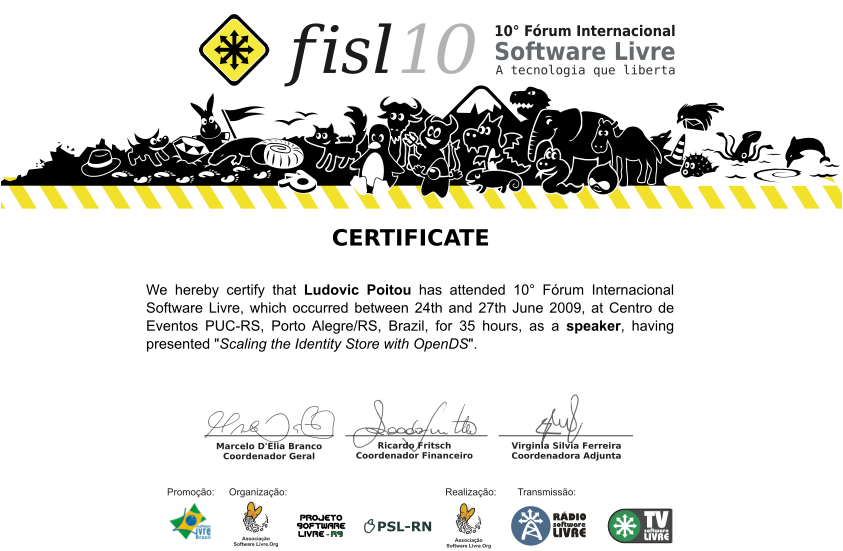
I’ve just received a “certificate of attendance as a Speaker” from the FISL organizers. This is a very nice gesture and adds to the amazing experience that is FISL. Big thanks to the organizers and more specifically Fernanda Weiden who had to cope with the egos of over 320 speakers.

FISL Certificate

Technorati Tags: , , , ,

Lowering the bar for OpenDS Translation…

Opends Logo TagPavel Heimlich, also known as Hajma on in the OpenDS project and lead for many Translation projects, has gone through all of the OpenDS messages to figure out the ones that were still in use and important to translate. There is now a "simplified" OpenDS project in the Community Translation Interface that contains a 5th of the initial messages, making it easier and faster for the volunteers to translate OpenDS to their preferred language. There are currently on-going translation for chinese, french, german, japanese, korean, polish, portuguese, serbian and spanish, but new language projects can be initiated on demand.

If you’re interested, check the How To Guide.

Technorati Tags: , , , , ,

OpenDS 2.0.0 Release Candidate 4 is now available

Opends Logo TagA couple of blocking issues have been found in OpenDS2.0 Release Candidate 3 and so a new release candidate is now available. Hopefully this will be the last one, and we’re doing the last round of non-regression tests before the final release of OpenDS 2.0, around mid July.

OpenDS 2.0.0-RC4 is built from revision 5494 of the b2.0 branch of our source tree.

The direct link to download the core server is: http://www.opends.org/promoted-builds/2.0.0-RC4/OpenDS-2.0.0-RC4.zip

The direct link to download the DSML gateway is: http://www.opends.org/promoted-builds/2.0.0-RC4/OpenDS-2.0.0-RC4-DSML.war

We have also updated the archive that may be used to install OpenDS via Java Web Start. You may launch that using the URL http://www.opends.org/promoted-builds/2.0.0-RC4/install/QuickSetup.jnlp, or visit https://www.opends.org/wiki/page/OverviewOfTheQuickSetupTool for more information.

Detailed information about this build is available at http://www.opends.org/promoted-builds/2.0.0-RC4.

This new candidate includes the following changes to OpenDS 2.0.0 RC3:

  • Revisions 5487, 5490 (Issue #4070) – Fix a bad encoding in a couple of LDAP extensions : PSearch Entry Change Notification Control and Password Policy State Extended Operation
  • Revision 5492 – Resolves a possible replication issue with future versions of OpenDS and Replication protocols.

Technorati Tags: , , , , ,

FISL 10 Trip report

I’ve just spent a wonderful week in Porto Alegre, Brazil where I’ve landed to talk about OpenDS at the FISL 10 conference.

This is my first visit in Brazil and I must say that I didn’t get any good impression of the country in the first two days. As a matter of fact, I didn’t get any impression at all. I arrived on Monday evening around 9pm, it was all dark. After more than 16 hours of traveling, I just wanted to hit a bed.

On the Tuesday morning, thanks to the jet lag, I got up quite early, checked email and went for breakfast by 7am, noticing a rainy day and still pretty dark. I was just done with the breakfast when Bruno Souza arrived and took me to the location of the Javali meeting, an ancillary event of FISL, sponsored by Sun and organized by SOU Java and RS JUG.

We spent the whole day in the conference room, watching from time to time through the windows the heavy rain and wind. The Javali talks ended with pizzas and guarana and by then the night was already dark.

While I didn’t get to see how Porto Alegre looks like in the first days of my visit, I did enjoyed the friendliness of Brazilians. At Javali, trying to follow the presentations in Portuguese was though but I think I got probably 50% of the technical parts thanks to the mix of english words and to my understanding of Spanish. And when it was necessary, Bruno or Mauricio Leal would do some translation for us.

I didn’t get to talk at Javali, the agenda was pretty full and I hadn’t told Bruno I would be coming as I wasn’t sure I could make it. But Pat Patterson presented Securing RESTful Web Services with OpenSSO (and OAuth) and mentioned a few times OpenDS.

LP0_1036

LP0_1039Wednesday was the first day of FISL and all the Sun participants went quite early to help setting up the booth in the Exhibition Hall. Sun’s booth was very well located and its main attraction was the thousands of small soccer balls that were given to attendees that registered to the OSUM program. I think that throughout the whole event, the Sun’s booth was the most vibrant and busy one, with Roger Brinkley making demos with his toys, Angel Camacho, Brian Leonard, Kirthankar Das and others helping with installs of OpenSolaris on attendees’ laptops.

LP0_1167LP0_1181

Arun Gupta fired the event on Wednesday morning with his presentation demonstrating the combined power of GlassFish, MySQL and NetBeans to build web applications.

Arun Gupta, inauguring FISL conf with the 1st talk

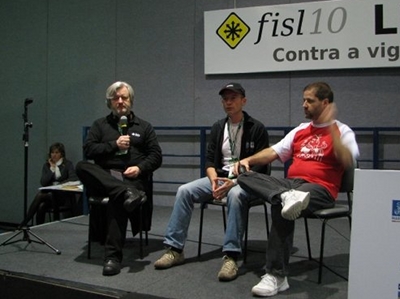
Friday was the busiest day for me as I was scheduled for 2 presentations. But before that, I was invited to participate in Simon Phipps talk show, describing in 5 minutes, what was OpenDS, what were the benefits for the Brazilian open source users and developers.

Fisl10 Simontalk

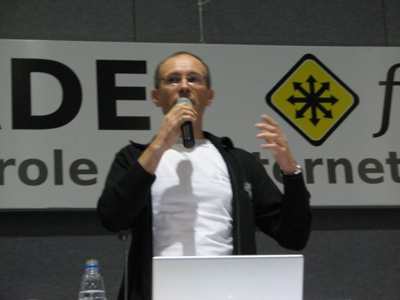
Immediately after, and in the same room, I did my presentation for OpenDS with the theme of "Scaling the Identity Store with OpenDS". The sessions talked about the 3 models we have in OpenDS for deployment :

  • Embedded in Java applications,
  • Standalone replicated servers,
  • LDAP Front-end access to MySQL Cluster’s network DB.

While FISL is mostly attended by students, my session had a majority of System Administrators, interested by simplifying and reducing the cost of their data-centers.

Ludo speaking

Later in the afternoon, I was presenting again, repeating JavaOne’s presentation from Tony Printezis and Charlie Hunt GC Tuning In the HotSpot Java Virtual Machine. Charlie was meant to attend the event, but the week before found out he could not make it. As they recalled I was in the room at JavaOne and I’m quite familiar with the subject as we’re spending a lot of time trying the different options to tune the JVM to get the best performances out of OpenDS, they asked me to cover the talk. I think I’ve done a reasonable job, despite the density of information in the slides, and the simultaneous translation in Portuguese for the largest part of the crowd not so familiar with English.

Still on Friday, part of the exhibition floor was closed to the public as the Brazilian President, Lula Da Silva, was schedule to visit the event. Sun booth was very well positioned, on the border on the closed area and the crowd started to gather by the booth as President Lula arrived. The excitement was amazing. When the President reached by the OpenSolaris Brazil user group, he received an OpenSolaris cap and T-shirt from Vitorio Sassi, Sun employee and one of the leaders of the Brazilian OpenSolaris community.

Brazilian Presidente Lula with OpenSolaris community
Photo taken by Ludovic Poitou, June 26 2009.

Somerights20

.

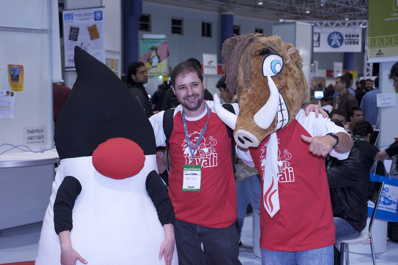
On Saturday and last day of the FISL conference, I got to share a little bit more of the stage by answering a performance related question from the attendance on Bruno Souza’s session about the future of Java,with the exceptional presence of Javali, the mascote for the Javali user group.

Bruno Souza with Duke and Javali

Overall FISL has been an amazing experience. It is definitely the biggest open source I’ve participated to. Over 8200 registered visitors, from 27 different countries, more than 320 speakers for 354 presentations and a presidential visit. More than that, Brazilians are extremely nice, generous and happy to live. They made our stay in Porto Alegre something that I’ll remember for a long time. A special thanks to the main organizers: Bruno Souza and Eduardo Lima (here below with Simon Phipps)

LP0_1127

.

I’ll definitely participate to the Call For Presentation next year, if evangelism of the OpenDS project is still one of my tasks for next year.

You can find all photos for the event in the FISL 10 picasa album.

Technorati Tags: , , , , , , , ,

To the FISL attendees…

FISL 10

Many of you have requested the slides.

Here they are :

Thanks for your presence…

A more detailed article is in the works.

Technorati Tags: , , , , ,

OpenDS 2.0.0 Release Candidate 3 is now available

Opends Logo TagThe OpenDS development team is very pleased to announce the immediate availability of OpenDS 2.0.0-RC3, the third and probably last release candidate for OpenDS 2.0.

OpenDS 2.0 has a number of new features over OpenDS 1.2.0 that was released in February 2009 :

  • A new mode for Multi-Master Replication providing greater consistency and availability of data: Assured Replication
  • Recurring tasks allow an administrator to schedule repeated tasks such as backups
  • New extensible matching rules and indexing allowing comparing, ordering of data according to specific locales and languages
  • Better monitoring information for the server and for Replication
  • Full compliance with RFC 4518 and matching of UTF-8 in attributes with a DirectoryString syntax
  • VLV indexes are now built during the Import
  • Several improvements in the Control Panel
  • Works with IBM JVM (Java 6 SR4 required)
  • Works by default with JConsole and VisualVM when JMX Connection Handler is enabled
  • Default settings and ergonomics have been improved reducing the need for tuning parts of the server
  • Greatly improved performances and stability over time of those performances
  • Resolved a possible security issue when Pre-ReadEntry, Post-ReadEntry and Assertion Controls were enabled

Overall, over 170 issues have been fixed.

The purpose of the Release Candidate is to solicit one last round of testing before the final release.

So please test the OpenDS release with your client applications, in your environment or on your favorite platform.

Our quality team will be doing the same during the next 2 to 3 weeks.

If you do find a bug, please report it with Issue Tracker.

We welcome feedback. Please report you experience with OpenDS on our mailing lists, or on #opends IRC channel on Freenode.

OpenDS 2.0.0-RC3 is built from revision 5460 of the b2.0 branch of our source tree.

The direct link to download the core server is: http://www.opends.org/promoted-builds/2.0.0-RC3/OpenDS-2.0.0-RC3.zip

The direct link to download the DSML gateway is: http://www.opends.org/promoted-builds/2.0.0-RC3/OpenDS-2.0.0-RC3-DSML.war

We have also updated the archive that may be used to install OpenDS via Java Web Start. You may launch that using the URL http://www.opends.org/promoted-builds/2.0.0-RC3/install/QuickSetup.jnlp, or visit https://www.opends.org/wiki/page/OverviewOfTheQuickSetupTool for more information.

Detailed information about this build is available at http://www.opends.org/promoted-builds/2.0.0-RC3.

Major changes incorporated since OpenDS 2.0.0 RC2 include:

  • Revision 5436. Delivers updated localization bundles
  • Revision 5439 (issue #4047) – Resolves an issue with uninstalling OpenDS.
  • Revision 5440 (Issue #4049) – Fixes an issue in the Control Panel where monitoring information was not available for all Connection Handlers.
  • Revision 5441 (Issue #4045) – Fixes an issue with start-ds -F so it reports snmp build information.
  • Revision 5452 (Issue #3713) – Resolves an issue where sockets could be leaked when replication connection fails due to SSL handshake.
  • Revision 5459 (Issue #4057) – Fixes an issue where restoring the schema from a backup would silently fail and prevent the server from working.

Technorati Tags: , , , , ,

If “God” says it…

…It must be true.

James Gosling
In a interview published this monday in eWeek Europe, James Gosling queried about Innovation in Java, replied the following:

"It’s all over the place inside Sun. People are doing cool things in any direction you want to look. The enterprise guys — the GlassFish group — they’re totally on a tear these days. The OpenDS guys are being really successful. The OpenJDK guys are getting some real traction. Stuff like the Jigsaw modularity stuff is getting a lot of excitement."

As one of the OpenDS guys, I like the middle of the response… And so it must be true !

Technorati Tags: , , , ,

OpenDS in Brazil

This week, one of the biggest conference about Open Source Software takes place in Porto Alegre, Brazil: FISL.

FISL stands for "Forum Internacional Software Livre" in the Portuguese language and means "International Free Software Forum".

FISL 10

This will the 10th edition and already over 6000 people have registered, according to the organizers.

It’s the first time I get to go to FISL and to Brazil as well. I’m looking forward to it, as I’ve been told a lot about the energy and the good atmosphere of the conference. It will be a good opportunity to be in touch with our community from South America.

My session will talk about "Scaling the Identity Store with OpenDS", describing the options to scale OpenDS based LDAP directory service from very small embedded to extremely large, telco scale. It’s schedule to happen on Friday 26th, from 11am to 12am in room 41A.

See you there.

Technorati Tags: , , , , , ,